
Excel SUMIF and COUNTIF: Answer Everyday Data Questions
Add and count matching records, combine conditions, and reconcile your answers using a small fictional orders dataset.
Suggested reading: 10-15 minutes. Allow additional time for practice.
See the actual materials
These are pages from the files included with this course. Open a preview to inspect the text before purchasing.
What you’ll learn
The task
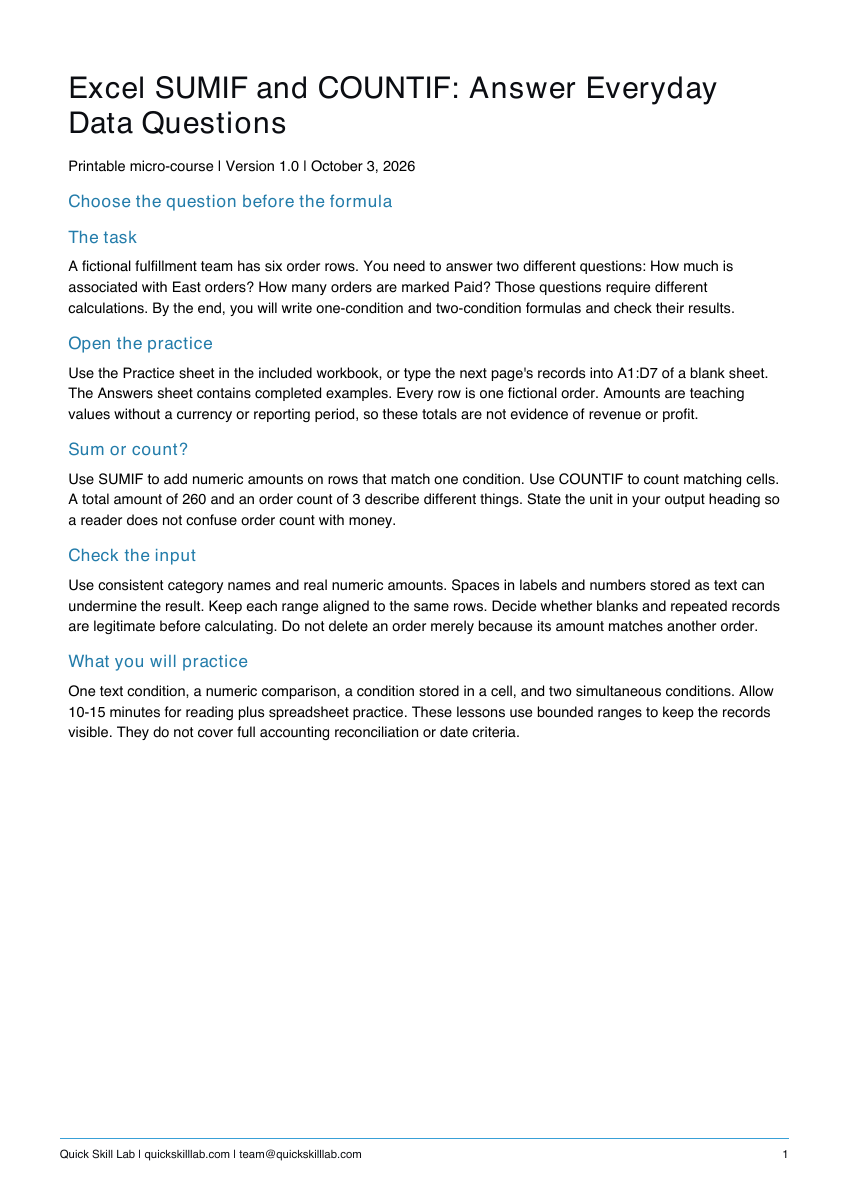
A fictional fulfillment team has six order rows. You need to answer two different questions: How much is associated with East orders? How many orders are marked Paid? Those questions require different calculations. By the end, you will write one-condition and two-condition formulas and check their results.
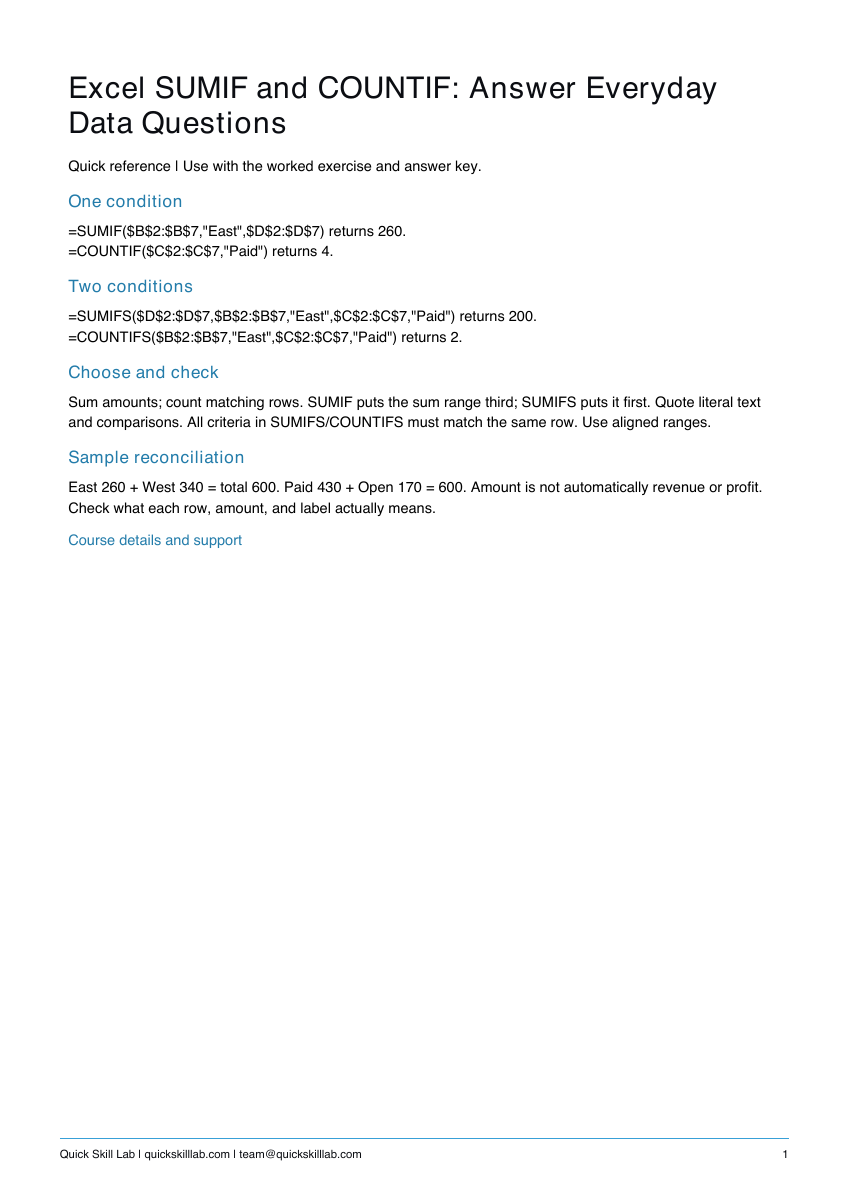
Requires Microsoft Excel. Examples cover SUMIF, COUNTIF, SUMIFS, and COUNTIFS using English function names.
What’s included
- Four-page PDF guide with an original worked example, practice, checking steps, quiz answers, and source links.
- One-page PDF quick reference.
- Editable PDF personal completion template.
- Excel practice workbook with Practice and Answers sheets.
No video or live coaching is included. The personal completion template records your own work; it is not independently assessed or accredited and provides no continuing education credits.
Try a free lesson first
SUMIF versus COUNTIF: choose the right question
The free lesson gives you a useful starting example. The paid pack adds a fuller practice sequence and ready-to-save reference materials.
How it works
- Complete the secure Stripe checkout.
- Download the four files from the confirmation page.
- Save a working copy, follow the guide, and compare your practice with the answers.
Keep your files and payment receipt. For help, email team@quickskilllab.com. We typically respond within 1–2 business days.