
Learn Excel Pivot Tables in Minutes
Prepare consistent records, choose Insert > PivotTable, and arrange categories and measures in the field areas.
Suggested reading: 10-15 minutes. Allow additional time for practice.
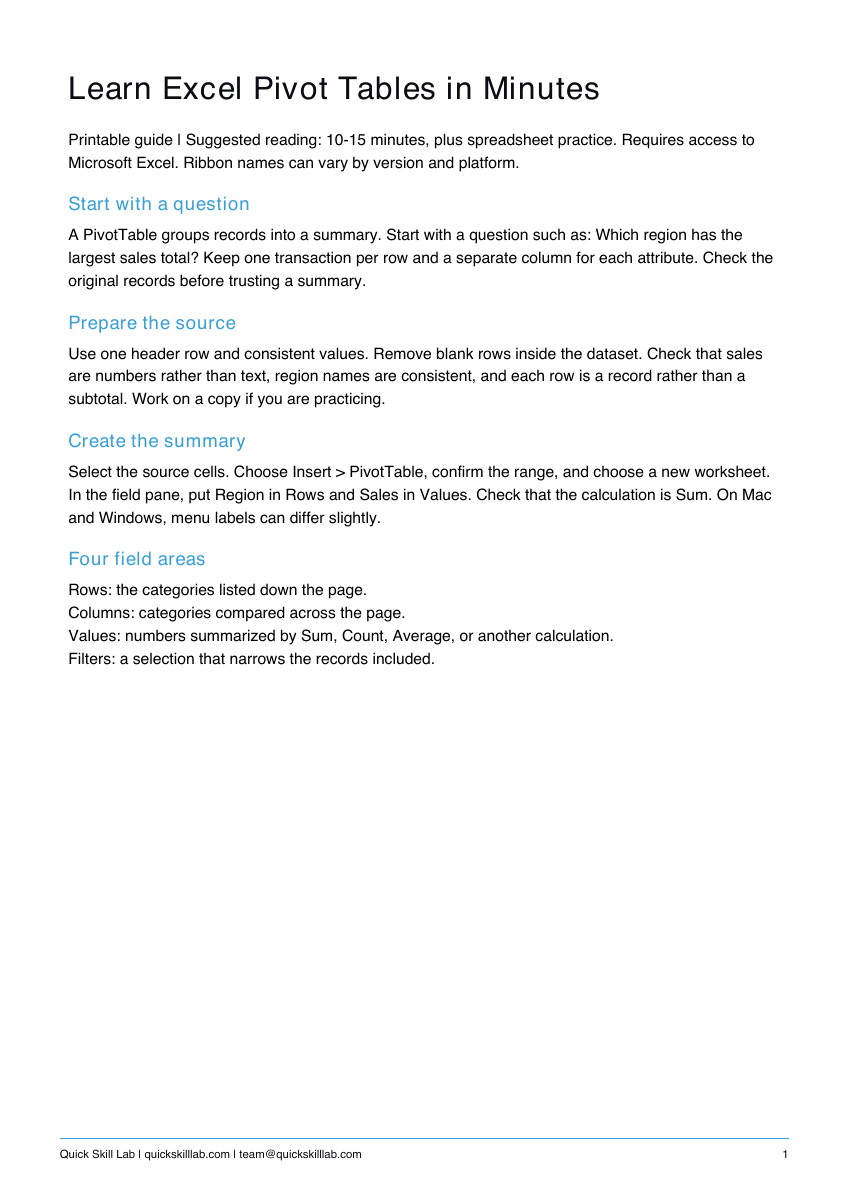
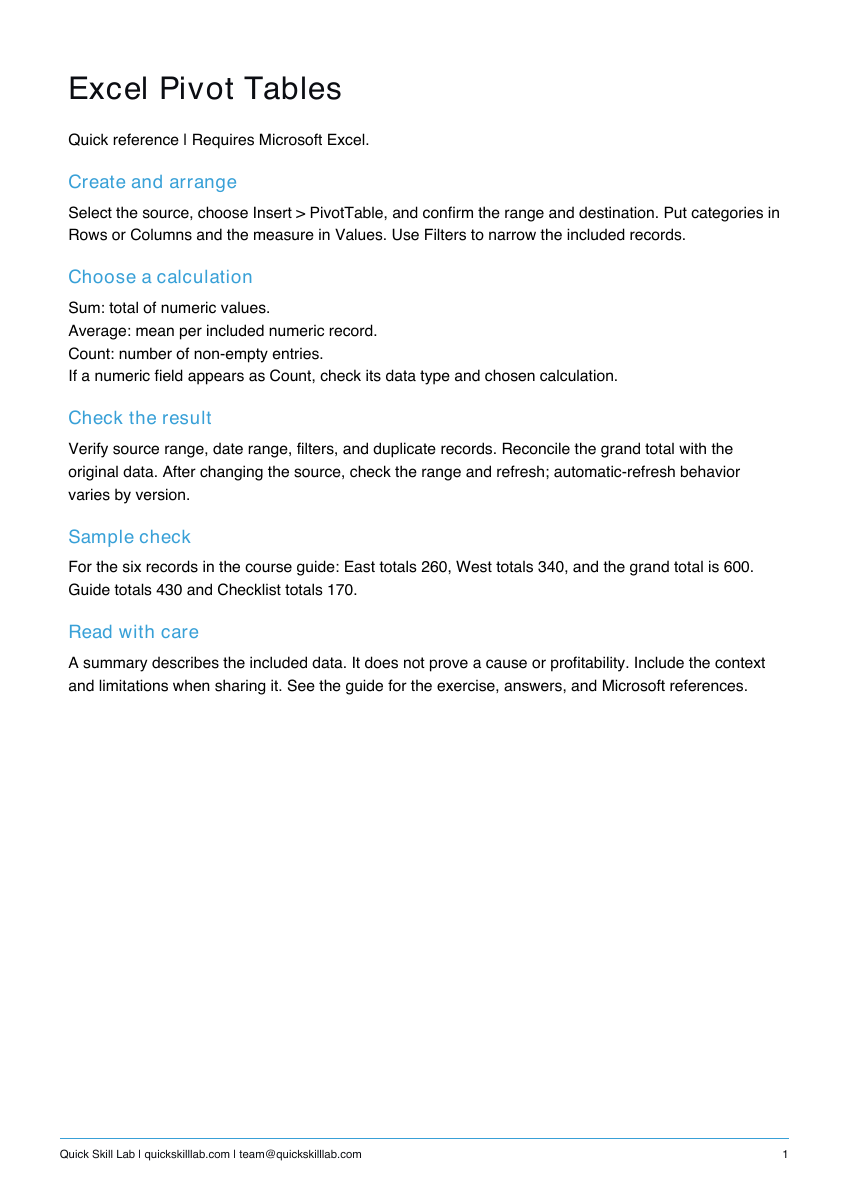
See the actual materials
These are pages from the files included with this course. Open a preview to inspect the text before purchasing.
What you’ll learn
Create a useful summary
Prepare consistent records, choose Insert > PivotTable, and arrange categories and measures in the field areas.
Six-record worked exercise
Type the fictional sample into Excel and compare your summary with the supplied totals. Practice regional totals and a product comparison.
Check and refresh
Review calculations, filters, source range, and totals. The guide includes troubleshooting, quiz answers, and links to Microsoft documentation. Requires Microsoft Excel; menus vary by version.
What’s included
Four-page PDF guide with a six-record exercise and expected totals, troubleshooting, quiz answers, and Microsoft references; one-page quick reference; personal completion template. No video or separate spreadsheet file is included.
These are downloadable PDFs. Practice activities are designed for paper or your own work tools. The personal completion template records your own completion; it is not independently assessed or accredited and provides no continuing education credits.
How it works
- Complete the secure Stripe checkout.
- Use the confirmation page to download the guide, quick reference, and personal completion template.
- Read the lesson, complete the practice, and keep the reference nearby.
Save your files and payment receipt. If you lose access or have a question, email team@quickskilllab.com. We typically respond within 1–2 business days.
Browse all courses · Get the free calm script · Free lessons FAQ